


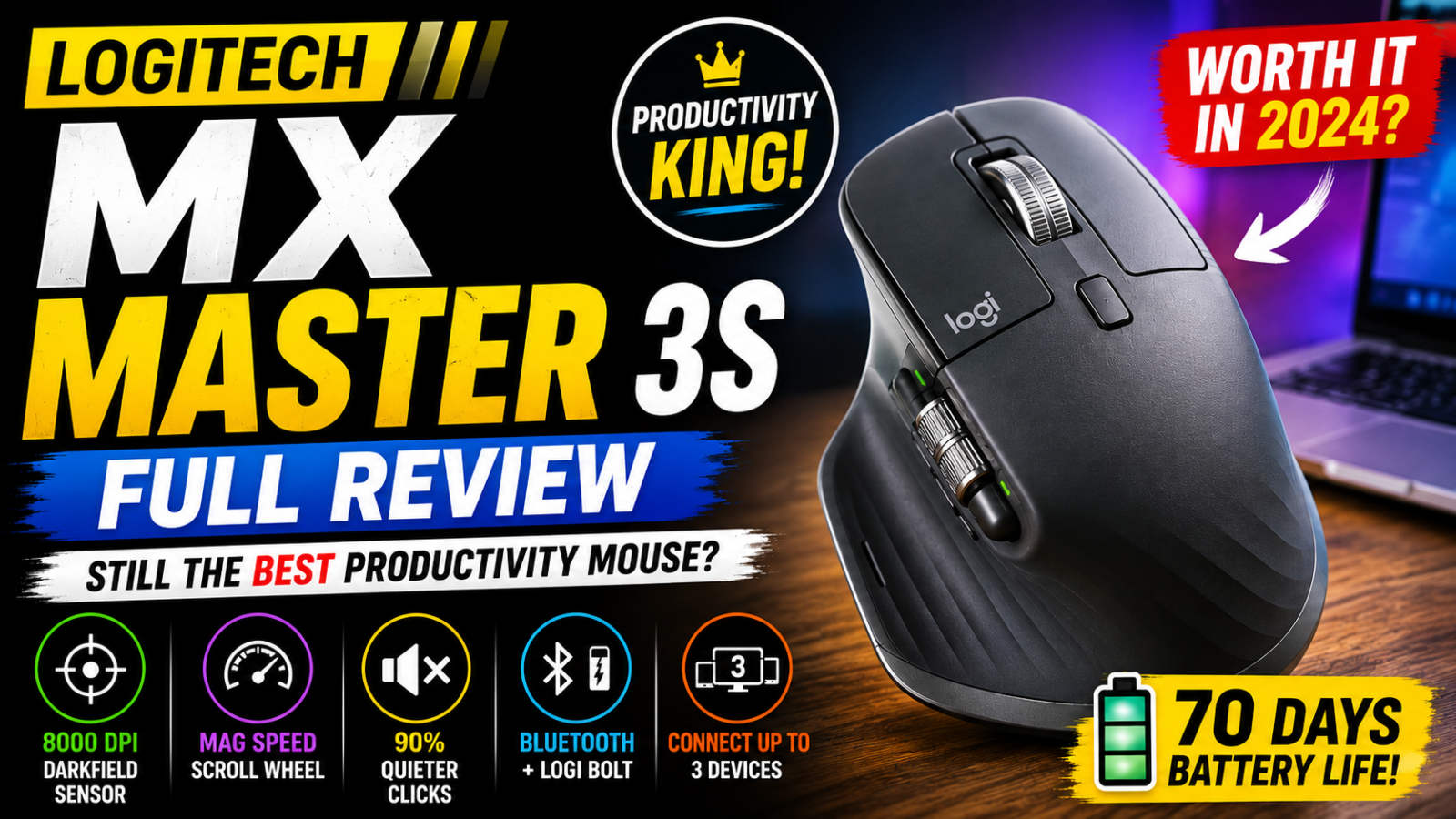
Logitech MX Master 3S Wireless Performance Mouse Review: Is It Still Worth Buying?
The Logitech MX Master 3S Wireless Performance Mouse is one of the most popular premium productivity mice available today. Designed for professionals, programmers, content creators, designers and anyone who spends long hours working on a computer, the MX Master 3S focuses on comfort, precision, customization and productivity rather than gaming performance.
With an 8,000 DPI Darkfield sensor, MagSpeed electromagnetic scroll wheel, dedicated thumb wheel, Quiet Click technology, multi-device connectivity and extensive customization, the Logitech MX Master 3S offers considerably more functionality than a typical wireless mouse.
But with newer mice available today, is the Logitech MX Master 3S still worth buying?
Let’s take a detailed look.
Logitech MX Master 3S – Quick Verdict
Our Rating: 9/10
One of the best premium mice for productivity, office work, programming and creative applications.
Design and Build Quality
The Logitech MX Master 3S immediately stands out because of its large ergonomic design.
It is built primarily for right-handed users, with a sculpted body that supports the palm and a dedicated thumb rest on the left side.
The mouse measures approximately 124.9 × 84.3 × 51 mm and weighs around 141 grams.
That makes it considerably heavier than most lightweight gaming mice. However, the additional weight isn’t necessarily a disadvantage for productivity. Instead, it gives the mouse a stable and controlled feel when moving it around your desk.
The overall build quality feels premium, which is exactly what you would expect from the MX Master range.
Comfort for Long Working Hours
Comfort is probably the biggest reason to choose the Logitech MX Master 3S.
If you spend eight or more hours a day working on a computer, the ergonomic shape can make a noticeable difference.
The mouse provides a large palm area and a dedicated thumb rest, allowing your hand to remain in a relaxed position.
It is particularly suitable for:
- Programmers
- Office professionals
- Students
- Designers
- Video editors
- Photographers
- Writers
- Researchers
- Content creators
- Business users
MagSpeed Scroll Wheel
One of the standout features of the Logitech MX Master 3S is its MagSpeed electromagnetic scroll wheel.
It provides two main scrolling experiences.
Ratchet Mode
Ratchet mode provides precise, individual scrolling steps. This is useful when navigating websites, documents, Excel spreadsheets, lists and programming code.
Free-Spin Mode
Free-spin mode allows the wheel to rotate rapidly, making it possible to move through very long documents and web pages extremely quickly.
Logitech rates the MagSpeed wheel for scrolling at up to 1,000 lines per second.
Dedicated Horizontal Thumb Wheel
Another major advantage of the Logitech MX Master 3S is its dedicated horizontal scroll wheel.
The thumb wheel is located underneath your thumb and allows you to move horizontally through content.
This is extremely useful for:
- Excel spreadsheets
- Video editing timelines
- Wide documents
- Large design projects
- Photoshop
- Horizontal web pages
8,000 DPI Darkfield Sensor
The Logitech MX Master 3S uses Logitech’s Darkfield high-precision sensor.
The sensor supports a resolution range of 200 DPI to 8,000 DPI, adjustable in 50-DPI increments.
The sensor is designed for accurate tracking and can even track on glass surfaces meeting Logitech’s requirements.
This makes the mouse particularly useful with high-resolution displays such as 4K and ultrawide monitors.
Quiet Click Technology
One of the major improvements introduced with the Logitech MX Master 3S is Quiet Click technology.
Logitech says the MX Master 3S produces approximately 90% less click noise compared with the previous MX Master 3.
The clicks remain tactile, but they are much quieter.
This makes the mouse particularly suitable for offices, libraries, meetings, shared workspaces, night-time working and home offices.
Customizable Buttons
The MX Master 3S provides multiple customizable controls that can be configured through Logitech’s Logi Options+ software.
You can assign different functions depending on the application you’re using.
Chrome
- Back
- Forward
- New tab
- Tab switching
Photoshop
- Zoom
- Brush size
- Undo
- Redo
Premiere Pro
- Timeline navigation
- Playback
- Editing shortcuts
Excel
- Navigation
- Custom shortcuts
- Frequently used commands
Logi Options+ Software
To get the most out of the Logitech MX Master 3S, Logitech provides Logi Options+.
The software allows you to:
- Customize buttons
- Adjust pointer speed
- Configure scrolling
- Configure the thumb wheel
- Create application-specific profiles
- Configure gestures
- Manage compatible Logitech devices
Logitech Flow
If you use more than one computer, Logitech Flow is another major advantage of the MX Master 3S.
The mouse can connect to up to three devices.
You can use it with a desktop PC, work laptop and MacBook and switch between connected devices using Easy-Switch.
Wireless Connectivity
The Logitech MX Master 3S supports both Bluetooth Low Energy and Logitech’s Logi Bolt wireless receiver.
The standard version includes a Logi Bolt USB receiver and USB-C charging cable.
The wireless range is rated at up to 10 metres, although actual range can vary depending on the environment.
Battery Life
The MX Master 3S uses a rechargeable 500mAh Li-Po battery.
Logitech rates it for up to 70 days of use on a full charge.
A quick one-minute charge can provide approximately three hours of use.
Charging is handled through USB-C.
💡 Our Take: The combination of up to 70 days of battery life and USB-C fast charging means you rarely need to worry about charging the MX Master 3S during normal use.
Is the MX Master 3S Good for Gaming?
The MX Master 3S can be used for casual gaming, but gaming is not its purpose.
Its 141g weight and productivity-focused design make it less suitable for competitive gaming.
If you play games such as Valorant, Counter-Strike or Apex Legends competitively, a dedicated gaming mouse will be a much better choice.
For strategy games, simulation games and casual titles, however, it works perfectly well.
MX Master 3S for Programming
The MX Master 3S is an excellent mouse for programmers.
The comfortable ergonomic design makes long coding sessions easier, while customizable buttons can be assigned to frequently used actions.
MX Master 3S for Video Editing
Video editors can benefit significantly from the MX Master 3S.
The horizontal thumb wheel is particularly useful for timeline navigation.
- Play/Pause
- Undo
- Redo
- Timeline controls
- Zoom
- Custom keyboard shortcuts
MX Master 3S for Photoshop
For Photoshop users, the MX Master 3S can be configured to make common tasks easier.
The thumb wheel can be configured to adjust brush size while other buttons can be assigned to zoom, undo and other frequently used functions.
MX Master 3S for Excel
Excel users can benefit heavily from this mouse.
The main scroll wheel handles vertical navigation while the thumb wheel handles horizontal navigation.
This makes it much easier to move through large spreadsheets.
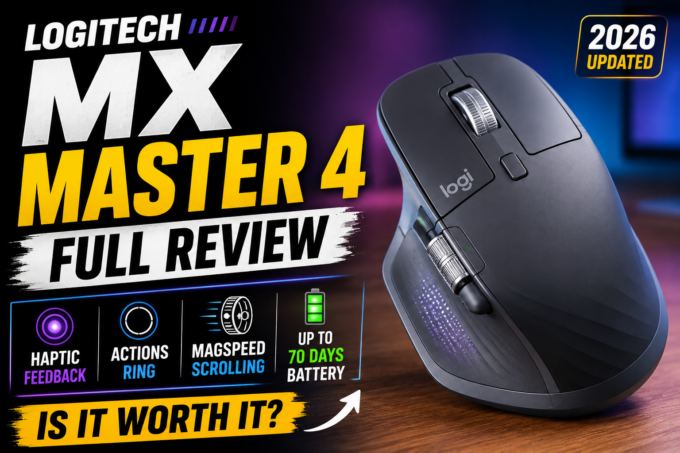
Logitech MX Master 3S vs MX Master 4
| Feature | MX Master 3S | MX Master 4 |
|---|---|---|
| 8,000 DPI | ✅ | ✅ |
| MagSpeed Scroll Wheel | ✅ | ✅ |
| Horizontal Thumb Wheel | ✅ | ✅ |
| Quiet Clicks | ✅ | ✅ |
| Multi-device support | ✅ | ✅ |
| Haptic Feedback | ❌ | ✅ |
| Actions Ring | ❌ | ✅ |
Pros and Cons
✅ Pros
- Excellent ergonomic design
- Very comfortable for long sessions
- Premium build quality
- 8,000 DPI Darkfield sensor
- Track-on-glass capability
- Excellent MagSpeed scroll wheel
- Dedicated horizontal thumb wheel
- Very quiet clicks
- Multiple customizable controls
- Logitech Flow
- Supports three devices
- Bluetooth + Logi Bolt
- USB-C charging
- Up to 70 days battery life
❌ Cons
- Heavy at 141g
- Large for smaller hands
- Right-handed only
- Not designed for competitive gaming
- Premium pricing
- Some features depend on Logi Options+
- No built-in receiver storage compartment
Who Should Buy the Logitech MX Master 3S?
The MX Master 3S is a great choice if you:
- Work from home
- Program regularly
- Use Excel extensively
- Edit photos
- Edit videos
- Create content
- Use multiple monitors
- Use both a desktop and laptop
- Spend many hours working at a computer
- Want quiet clicks
- Prefer ergonomic mice
- Want extensive customization
Who Should Not Buy It?
You may want to consider another mouse if you:
- Are left-handed
- Prefer ultra-light mice
- Have very small hands
- Mainly play competitive FPS games
- Need a very high polling rate
- Want a compact travel mouse
Price and Value for Money
The MX Master 3S was originally positioned as a premium productivity mouse, but its value becomes much more attractive when it is available at a discounted price.
Amazon prices can change frequently, so we recommend checking the latest price before purchasing.
🛒 Logitech MX Master 3S
Check the latest price and availability on Amazon India.
Final Verdict
The Logitech MX Master 3S remains one of the best productivity-focused wireless mice available.
It isn’t trying to compete with lightweight gaming mice. Instead, it focuses on making everyday computer work faster, more comfortable and more customizable.
The combination of the ergonomic shape, MagSpeed scroll wheel, horizontal thumb wheel, 8,000 DPI Darkfield sensor, Quiet Click technology, multi-device connectivity and excellent battery life makes it an outstanding choice for professionals and power users.
The biggest disadvantages are its relatively heavy body, right-handed design and premium price.
However, if your computer is primarily used for work, programming, editing, designing, browsing or productivity, these disadvantages are relatively minor.
Our Final Rating: 9/10
| Category | Rating |
|---|---|
| Design | 9/10 |
| Comfort | 10/10 |
| Tracking | 9.5/10 |
| Scrolling | 10/10 |
| Customization | 10/10 |
| Battery Life | 10/10 |
| Connectivity | 9.5/10 |
| Gaming | 6/10 |
| Value for Money | 9/10 |
| Overall | 9/10 |
Final Recommendation
Highly Recommended.
If you are looking for a premium mouse primarily for work, programming, content creation, editing or productivity, the Logitech MX Master 3S is still an excellent investment.
If you can find it at a significant discount compared with newer models, it becomes an even more attractive choice.
🛍️ Ready to Buy?
Check the latest price of the Logitech MX Master 3S on Amazon India.
Affiliate Disclosure: This article contains affiliate links. If you purchase a product through our affiliate link, we may earn a small commission at no additional cost to you. This helps support our website and allows us to continue publishing technology reviews and useful content.
- 8K DPI sensor
- best wireless mouse
- Bluetooth mouse
- ergonomic mouse
- Logi Bolt
- Logitech mouse review
- Logitech MX Master 3S
- Logitech MX series
- Logitech Options+
- Mac mouse
- MagSpeed scroll wheel
- mouse for coding
- mouse for video editing
- MX Master 3S review
- office desk setup
- PC accessories
- productivity mouse
- Quiet Clicks
- wireless mouse








Leave a comment