


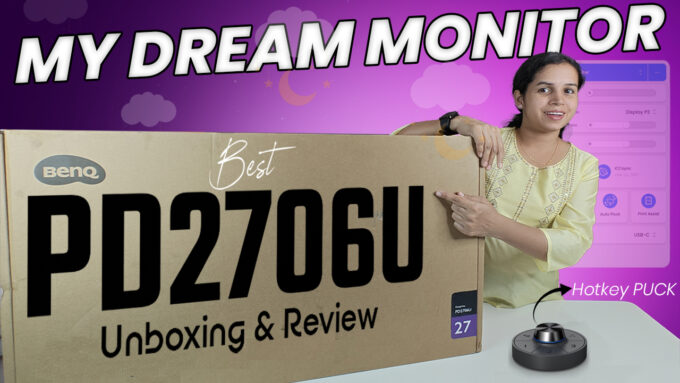
The search for the perfect monitor ends here. The BENQ PD 2706U has arrived, and it’s quickly establishing itself as a top-tier display solution for designers, video editors, and programmers. We’re diving into a detailed review of this premium 27-inch 4K monitor, breaking down the features that justify its high-end price tag and exploring the unique tools that streamline a creative workflow.
First Impressions: Premium Build and Effortless Setup
From the moment you unbox the Benq PD 2706U, its premium status is evident. The packaging includes a full suite of cables—DisplayPort, HDMI, Type-A USB, and Type-C to Type-C—ensuring immediate compatibility with virtually any setup.
The stand assembly is surprisingly simple and robust. Its tool-free screw mechanism and sturdy, matte-finish construction give the entire unit a sleek, professional look. The inclusion of cable management covers further emphasizes the clean, minimalist aesthetic demanded by modern workspaces.
The Core Specifications: Uncompromising Visual Quality
The heart of the PD 2706U is its stunning 27-inch 4K UHD (3840×2160) IPS LCD panel. While the refresh rate is a standard 60 Hz (appropriate for design and editing), the focus here is on color accuracy and detail.
| Feature | Specification | Why It Matters for Professionals |
| Resolution | 4K UHD | Exceptional sharpness (163 PPI) for intricate detail work. |
| Brightness | 400 nits | Meets the VESA DisplayHDR 400 standard for improved contrast. |
| Color Accuracy | Calman-Certified | Guarantees factory-calibrated color precision (AQColor Technology), crucial for professional output. |
| HDR Support | HDR 10 & VESA DisplayHDR 400 | Provides excellent dynamic range for grading and color work. |
The most significant takeaway is the monitor’s official color accuracy certificate, confirming it is factory-calibrated and ready for color-critical work straight out of the box.
Workflow Efficiency: Software and Hardware Shortcuts
Benq hasn’t just built a beautiful screen; they’ve built a device integrated into the creative workflow.
DisplayPilot Software: This companion software allows for effortless switching between critical color profiles like sRGB, DCI P3, Display P3, and a dedicated MacBook mode. This ensures color consistency when working on projects destined for different platforms.
The Hotkey Pack G2: This is a game-changer. This external dial and button system allows you to switch between three custom preset modes (like MacBook, Display P3, and Low Blue Light) instantly. The rotary wheel provides smooth, precise brightness control, eliminating the need to fumble with on-screen menus—a huge win for productivity.
PT Connect App (1-Year Free Subscription): The included one-year free subscription to the PT Connect app (a value of around ₹5,000) adds immense value, offering a library of color shades and codes essential for advanced professional editing.
Connectivity and Ergonomics: Designed for the Modern Studio
The monitor’s design ensures maximum compatibility and comfort.
Thunderbolt via USB-C: The Type-C port supports Thunderbolt, allowing for fast data transfer and simultaneous 90W fast charging—a dream feature for MacBook and iPad Pro users, enabling a single-cable setup with perfect color profile mirroring.
Extensive Ergonomics: The sturdy stand offers a full range of physical adjustments often missing in competitors:
Tilt up to 20°
Height adjustment up to 110 mm
Full 90° rotation for testing video in portrait mode or working on long code scripts.
Power Efficiency: Despite its size and capabilities, the monitor is power-efficient, using only 45W in normal mode and 0.5W in sleep mode.
Is the BENQ PD 2706U Worth the Investment?
The BENQ PD 2706U is not a general-purpose monitor; it is a specialized tool built for demanding professionals.
Pros:
Unrivaled color accuracy with Calman certification.
Outstanding ergonomic flexibility and premium build quality.
Workflow-enhancing accessories (Hotkey Pack G2, DisplayPilot, PT Connect subscription).
Single-cable Type-C/Thunderbolt connection with 90W power delivery.
Cons:
High initial cost (₹40,000 retail).
60 Hz refresh rate is not ideal for high-frame-rate gaming.
Built-in 2.5W speakers are insufficient for professional audio work.
Final Verdict: For video editors, graphic designers, and programmers who rely on precise color representation and workflow efficiency, the BENQ PD 2706U is a highly recommended investment. Its combination of a 4K IPS panel, professional calibration, and integrated workflow tools makes it one of the most compelling professional displays on the market today.









Leave a comment